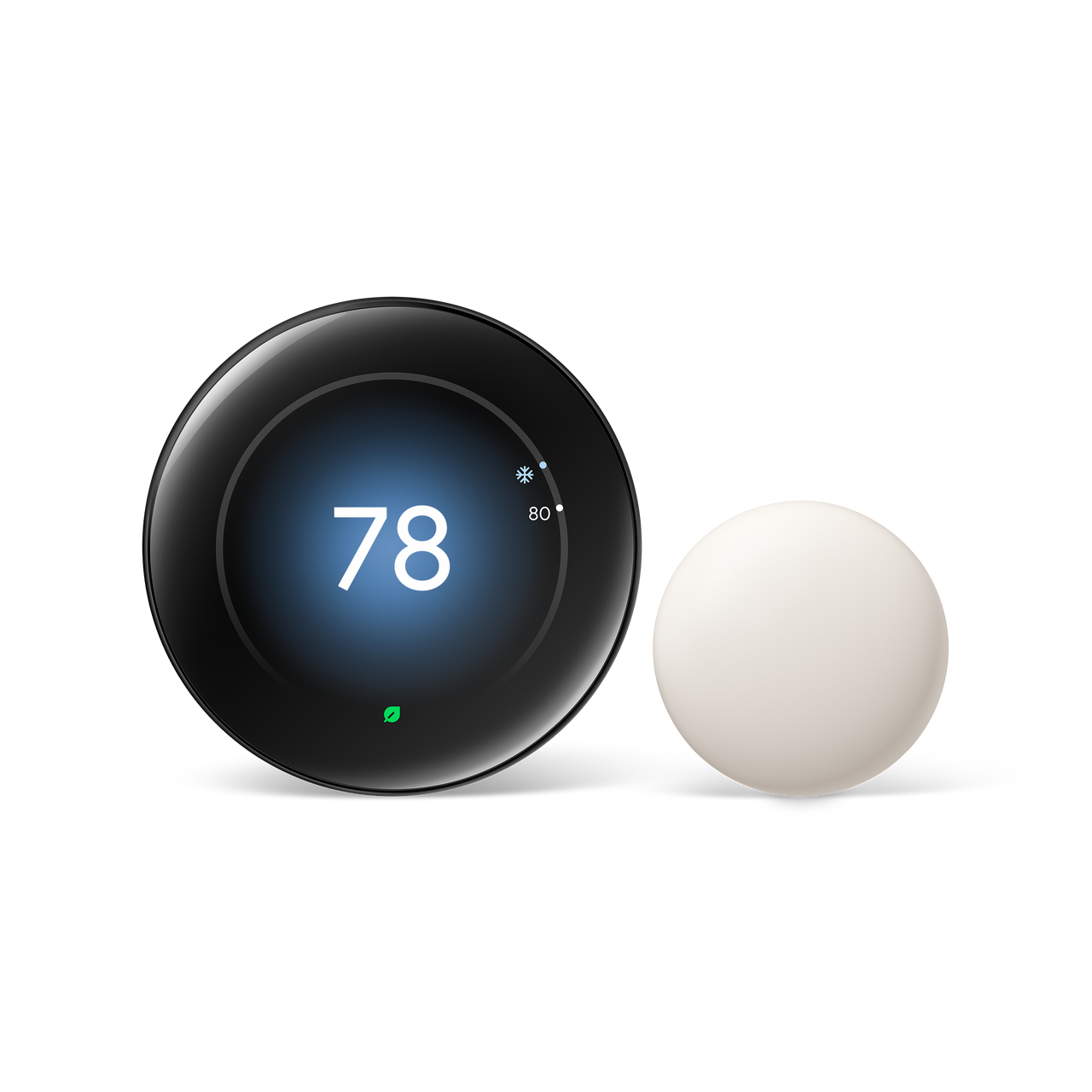
What is the Nest 4th Gen with Temperature Sensor bundle?
The Google Nest Learning Thermostat 4th Gen with Nest Temperature Sensor (2nd Gen) is a Wi-Fi learning thermostat packaged with a wireless room sensor, so your cooling can follow the temperature of the room you actually use. In Dubai it costs 1,050 AED, which is 240 AED more than the thermostat alone.
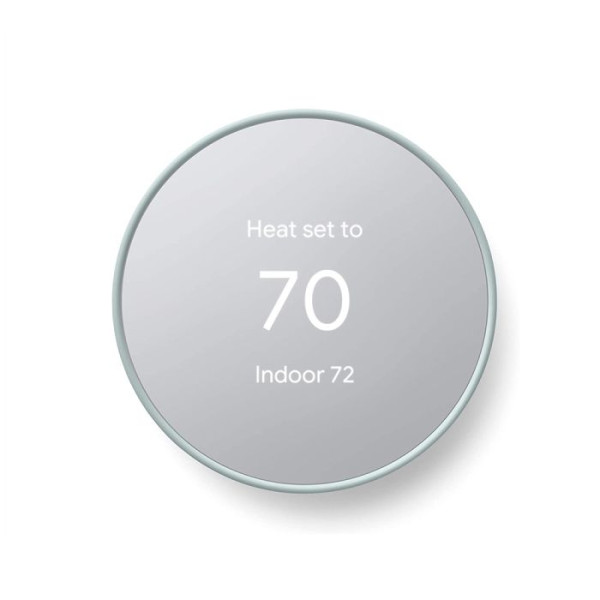
The thermostat itself is identical to our 810 AED 4th Gen: a 2.7 inch round display, Soli Motion Sense, dual-band Wi-Fi, and support for Google Home and Matter. What you are paying for is the little puck that lives in another room.
Here is why that matters. Where you mount a thermostat is rarely where you live. In a typical Dubai villa the thermostat sits in a ground-floor hallway while the master bedroom is upstairs, where heat collects. The hallway reads 24°C and the AC rests. The bedroom, meanwhile, can sit a couple of degrees warmer. A sensor in the bedroom fixes the reading. It does not fix the AC, which we come back to below.
How a room sensor changes your day
Bedrooms at night
Most people feel comfort in bed, not in the corridor. Place the sensor on a bedside shelf, away from the AC outlet, and the thermostat can judge the temperature where you sleep.
Home offices and sunny rooms
A west-facing study picks up afternoon sun and gets warm long after the hallway has settled. A sensor there tells the thermostat what the room really feels like.
Where it does not help
A sensor reads temperature. It cannot push cool air into a room your AC barely reaches. If one duct feeds four rooms, you are still averaging them, and the fix may be airflow or zoning rather than another gadget. We will tell you if that is your situation before you spend the extra 240 AED.
What is in the bundle
According to Google’s spec page, the bundle includes the following. Confirm your finish and exact contents with us before ordering.
- Thermostat display and base
- Trim plate and steel plate
- Mounting screws and wiring labels
- Nest Temperature Sensor (2nd gen)
Google also states the thermostat and sensor bundle is made with at least 48% recycled materials.
Specifications
| Bundle | Nest Learning Thermostat (4th gen) + Nest Temperature Sensor (2nd gen) |
|---|---|
| Display | 2.7 inch (68 mm) circular LCD, 600 × 600 pixels |
| Presence sensing | Soli sensor for Motion Sense |
| Wi-Fi | 802.11n, 2.4 GHz and 5 GHz |
| System compatibility | Most 24V systems: gas, electric, oil, forced air, heat pump, radiant |
| Power | Designed to work with or without a C wire. In under 1% of cases a C wire or Nest Power Connector may be needed. |
| Smart home | Works with Google Home and Matter |
| Certification | ENERGY STAR certified thermostat |
| Price in Dubai | 1,050 AED |
Specifications follow Google’s published spec sheets. Local price and availability are ours.
Is the sensor worth 240 AED?
It depends on the house. Here is the honest split.
Buy the bundle if
- You live in a two-storey villa and the bedrooms are upstairs.
- Your thermostat is far from the room where you spend most evenings.
- One room is always the hot one.
Save the money if
- You live in a one-bedroom or studio apartment where the thermostat is a few metres from everything.
- Your AC is a single small unit serving one open space.
The sensor can also be added to a thermostat you already own, so you can start with the 810 AED model and see how the house behaves first. Ask us for the current sensor-only price.
Check compatibility before you order
The thermostat speaks 24V. Many Dubai apartments run a ductless split AC with an infrared remote and no thermostat wire, and some fan coil units run on 230V. A 24V thermostat must never be connected to a 230V line. Google says the 4th gen is designed to work with or without a C wire, with a C wire or Nest Power Connector needed in under 1% of cases.
The quickest route is a photo. Send a picture of your current thermostat and, with the power off at the breaker, the wiring behind it. Our installation guide explains what we look for.
Installation and sensor placement
We install the thermostat, connect it to your Wi-Fi and link it to Google Home. We also pair the sensor and help you choose its spot. Keep it off exterior walls, out of direct sun, and away from the AC outlet and kitchen heat, or it will report the wrong room temperature.
Where to put the sensor: four rules
A sensor in the wrong spot is worse than no sensor. These rules cover most homes.
- Keep it off exterior walls. Walls that face the sun carry heat into the reading.
- Stay away from the AC outlet. Cold air blowing on the sensor makes the room look cooler than it is.
- Avoid direct sunlight and windows. A sunny shelf reads hot all afternoon.
- Place it at living height, roughly where you sit or sleep, not on top of a wardrobe.
Using the bundle through a UAE summer
June to September is when a room sensor earns its keep. The upstairs bedroom stays warm long after the downstairs hallway has cooled. With a sensor in the bedroom, the thermostat has a better idea of what the room feels like when you go to bed.
Two habits help. First, avoid chasing 16°C. An AC does not cool faster because you asked for a lower number, it just runs longer. Second, use a sensible away temperature when the house is empty rather than switching the AC off. Read our guide to cutting AC bills in a Dubai summer for the full list.
Your first week with it
Use the thermostat normally. Change the temperature when you would, and let it watch. Check the sensor placement after a couple of nights. If the bedroom still feels warmer than the app says, move the sensor away from the AC outlet or the window. Small moves fix most complaints. Message us if something looks off and we will help.
Why buy from Nest Thermostats Dubai
We are based at Dubai Investment Park and sell and install Nest thermostats for homes and offices across the UAE. Message us on WhatsApp, call or email, Monday to Saturday, 9:00 AM to 9:00 PM. A real person replies, and usually it is the same person who will do your installation.
Our rule is simple: we check your wiring before you order, so you do not buy a thermostat that will not fit. Technical details on this page come from Google’s published specifications. The advice on Dubai homes comes from our installation work. Reviewed on 11 October 2026.
Nest 4th Gen with Temperature Sensor: frequently asked questions
What is included in the Nest 4th Gen with Temperature Sensor bundle?
According to Google, the bundle includes the Nest Learning Thermostat (4th gen) display and base, trim plate, steel plate, mounting screws, wiring labels and a Nest Temperature Sensor (2nd gen). Confirm exact contents and finish with us on WhatsApp before ordering.
What does the Nest Temperature Sensor do?
It lets the thermostat read the temperature of the room where the sensor sits, instead of relying only on the hallway wall where the thermostat is mounted. That helps in villas where bedrooms are far from the thermostat.
Is the bundle worth 240 AED more than the thermostat alone?
It is worth it for two-storey villas and homes with a bedroom or office far from the thermostat. In a small apartment where everything is close to the thermostat, the thermostat alone is usually enough.
Can I add a temperature sensor to a thermostat I already own?
Yes. Google sells the Nest Temperature Sensor (2nd gen) separately. Message us on WhatsApp for the current price and to confirm it suits your thermostat model.
Will it work with my AC in Dubai?
It works with 24V systems. It usually does not suit ductless split ACs run by a remote, or fan coil units that run on 230V line voltage. Send a photo of your current thermostat and its wiring on WhatsApp and we will check before you buy.
Do I need a C wire?
The thermostat is designed to work with or without a C wire. Google says that in limited cases, under 1%, a C wire or Nest Power Connector may be needed. We check this during the pre-order review.
Can I control it from my phone?
Yes. Connect it to your home Wi-Fi and use the Google Home app from anywhere with internet access. Google lists it as working with Google Home and Matter.
Do you install it, and what about delivery and warranty?
Yes. Our team installs the thermostat and connects it to your Wi-Fi and Google Home. Message us on WhatsApp for current delivery and warranty terms.